


AI Chatbot - Nova
3.825.74K Reviews
App Specs
- Version
- Varies with Device
- Updated On
- License
- Free
- Downloads
- 100,000,000+
- Developer
- ScaleUp
- Categories
- Productivity
- Platform
- Android, iOS
Screenshots
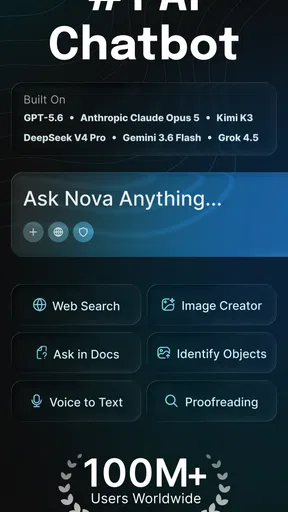
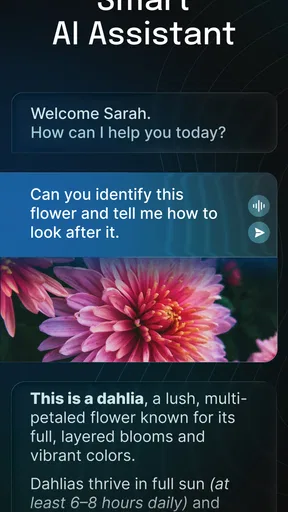
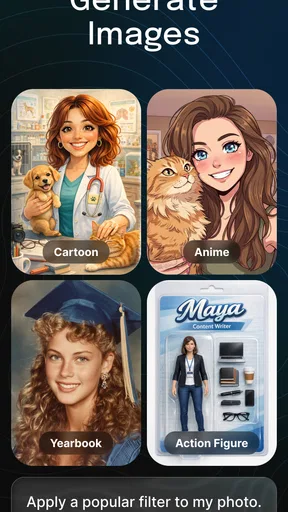
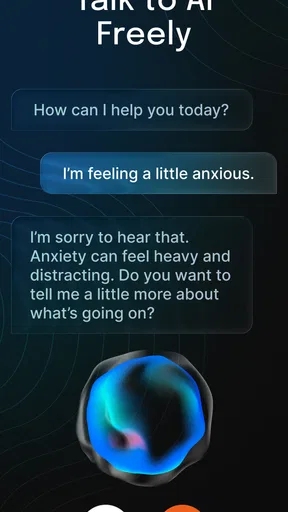
 Analysis by AppCompare
I get more value from an AI chatbot when I give it a place in a routine, rather than opening it whenever I have a vague feeling that I should be more productive. With AI Chatbot - Nova, that means arriving with a small, clear task: shape a rough email, explain an unfamiliar idea, or help me find a starting point when a blank page is slowing me down. It is a productivity app from ScaleUp, but I would treat its replies as working material, not finished decisions. That distinction makes it easier to use the app without expecting it to replace the tools and judgement I already rely on.
Decide what you want from the conversation
Before I type, I try to name the result I need and the limits around it. “Help me write a short, friendly message asking to move a meeting” is more useful than “write an email,” because it gives the chatbot a purpose and a tone. If the first reply misses, I can clarify the audience, shorten it, or ask for a few alternatives. This back-and-forth is where a conversational tool can feel more flexible than a conventional search, which usually leaves me to assemble an answer from separate pages.
That flexibility has a trade-off: an answer can sound assured without being dependable. For anything consequential, current, or easy to get wrong, I check the important details elsewhere. I also avoid treating a plausible-sounding response as proof. Nova is most useful to me for drafting, brainstorming, explaining and reorganizing information I can review, rather than making a decision that needs verified facts or professional advice.
Turn a reply into something you can use
A chat becomes more productive when I finish by taking one concrete next step. I might copy a draft into my usual notes or writing app, edit it there, and then send or save the final version. For a project idea, I can ask for a short outline, choose the useful points, and move those into the place where I track the work. I would not assume a chatbot conversation is a durable filing system: if a response matters, keep the final version somewhere you can find and manage it later.
One practical technique is to separate exploration from execution. First, ask for several possible approaches; then pick one and request a focused draft. That prevents a long, unfocused conversation from becoming a substitute for doing the task. It also makes it easier to spot when the answer is drifting away from what you need. If your goal is to keep projects, deadlines and documents organized in one structured workspace, a dedicated planner or notes app is a better home for that system; Nova can help with a piece of the work, not stand in for the whole setup.
In everyday use, I can imagine opening it between errands to turn a scattered list of thoughts into a polite message, or asking for a plain-language explanation before a class or meeting. For a more careful workflow, I would remove unnecessary personal details before entering a prompt and review the response before sharing it. The payoff is speed at the messy beginning of a task; the cost is the time and attention needed to check, edit and transfer the result.
Getting Started with Nova
Jumping into AI Chatbot - Nova is a breeze. Once you download the app, you're greeted with a simple, sleek interface that invites you to start chatting right away. No complicated setups or lengthy sign-ups. Just type a message, and Nova is ready to respond. The app’s design is intuitive, making it perfect for anyone who's not tech-savvy.
Worth Reading Before You Choose

EA SPORTS FC Mobile 26 Is a Bigger Football Game, but It Takes Time

Flipboard Shows What News Apps Must Do Beyond the Feed

Switching to Android Auto Means Rethinking Your Driving Routine

Google Calendar Makes a Crowded Week Easier to Manage

Ludo King Makes the Most of the Minutes Between Plans

Baby Panda World Brings Quick Play to Modern Phones, but Its Game Library Feels Busy
Features that Stand Out
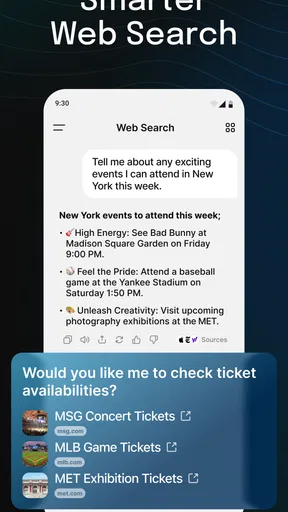
One of the coolest features of Nova is its ability to understand context and maintain a conversation flow. This isn't just a question-answer bot; it feels like you're talking to a real person. Whether you're discussing the latest movie releases or asking about the weather, Nova keeps up effortlessly.
Another nifty feature is its learning capability. The more you chat, the better it understands your preferences and style. It's like having a personalized AI that grows with you. Plus, Nova supports multiple languages, so if you're bilingual or just dabbling in a new language, Nova's got your back.
Make the conversation work for you
For a repeatable routine, I would use the same simple sequence: state the task, include the audience or context that matters, ask for a format, and then check the result. For example, a student could request a short explanation of a difficult concept, then ask for a few practice questions and work through them independently. A busy parent might use the same approach to turn rough notes into a clear message to a school. These are starting points, not reasons to skip the person’s own review.
It also helps to be specific about what “done” looks like. If I want a concise answer, I say so; if I need a list of options rather than one recommendation, I ask for alternatives. When the answer is too broad, I narrow the prompt instead of repeating it unchanged. This small habit can reduce the effort of steering the conversation and makes it easier to tell whether the response actually addresses the request.
A Few More Things to Love
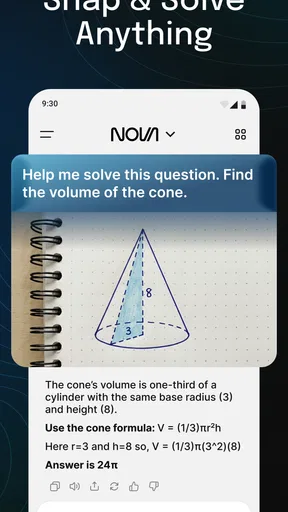
Now, you might be thinking, "Can Nova actually be helpful?" Absolutely! It's not just for fun conversations. Nova can assist with reminders, provide quick facts, and even help you learn new things. It's like having a mini-assistant ready to help at any time.
And let’s not forget accessibility. The app is available on both Android and iOS, ensuring that no matter your device preference, you can enjoy a seamless experience. A couple of taps and you’re in the world of Nova.
It is free to download, rated for Everyone, and has reached over 50 million installs. Its average rating is 3.9 from around 2 million ratings, which gives a useful sense of broad reach without telling me whether it will suit my particular workflow. The app includes in-app purchases, with listed items ranging from $0.99 to $199.99, so I would check the purchase details in the app before committing to anything. If I only need occasional help with short prompts, I would start with the free option and see whether it meets that need rather than assuming a paid purchase is necessary.
Where the convenience can fall short
The main friction is not getting a response; it is deciding what to trust and what to do with it. A chatbot can produce a polished draft that still misses a key constraint, and a smooth conversational tone can make weak reasoning less obvious. I reread names, dates, instructions and claims, especially when another person will rely on the result. For factual research, I prefer checking primary sources; for calendars, reminders and task tracking, I prefer tools built around those functions.
There is also a difference between an assistant that helps generate text and a system that remembers every part of a project in a reliable, organized way. I would not use a chat as the only record of a deadline, a client decision or a plan I need to revisit. Save the useful output in the appropriate app and keep your own notes about decisions. If you want a conventional search engine, a specialist writing editor, or a structured project manager, those alternatives may fit better than an open-ended chatbot.
Nova is a strong fit for people who want a low-friction place to ask questions, explore ideas, or get an imperfect first draft moving. It is less suitable for anyone who expects guaranteed accuracy, automatic project organization, or a replacement for a dedicated reminder system. The app was released on March 3, 2023, and its broad availability on Android and iOS makes it easy to try on either platform. I would judge it by whether it saves time on small, reviewable tasks—not by how human the conversation feels.
AI Chatbot - Nova is more than just an app; it’s a companion, a tutor, and sometimes a comedian, all rolled into one. Whether you’re seeking genuine advice or just a bit of entertainment, Nova delivers consistently. So, if you haven’t checked it out yet, what are you waiting for? Download it now and dive into endless conversations with your new AI buddy!
Pros
- Intuitive and user-friendly interface.
- Wide range of language recognition.
- Seamless integration with other apps.
- Constant updates and improvements.
- Highly customizable settings.
Cons
- Limited free version features.
- Occasional response delays.
- Requires stable internet connection.
- In-app ads can be intrusive.
- Some advanced features are paid.
FAQs for AI Chatbot - Nova
What is AI Chatbot - Nova used for?
AI Chatbot - Nova is designed to assist users with a variety of tasks by providing instant answers and suggestions. It helps in setting reminders, scheduling appointments, and even offering recommendations for entertainment or dining. The app leverages advanced AI to understand and respond to queries efficiently.
Is AI Chatbot - Nova free to use?
AI Chatbot - Nova offers a free version that includes basic features useful for everyday tasks. However, for users seeking advanced functionalities, there is a premium version available through in-app purchases. The premium version provides enhanced AI capabilities and personalized experiences.
How does AI Chatbot - Nova ensure user privacy?
AI Chatbot - Nova prioritizes user privacy by employing robust encryption methods to protect data. The app does not store personal information without user consent and strictly adheres to privacy regulations. Users can manage their data preferences within the app settings to ensure complete control over their information.
Can AI Chatbot - Nova integrate with other apps?
Yes, AI Chatbot - Nova is designed to seamlessly integrate with a variety of popular apps and services. This includes calendar apps, email clients, and smart home devices. Integration enhances its functionality, allowing users to streamline tasks and automate processes efficiently.
What kind of support does AI Chatbot - Nova offer?
AI Chatbot - Nova provides comprehensive customer support through an in-app help center, where users can find tutorials and FAQs. Additionally, there is a dedicated support team available via email or chat to assist with technical issues or inquiries, ensuring a smooth user experience.


